AI Video Subtitle Eraser
Draw a Box to Erase — Clean and Seamless
Draw a box to erase subtitles, watermarks, and logos, or upload new subtitles for one-click replacement — erase the old, burn in the new. Adjustable blur intensity and fully customizable subtitle styles, all free.
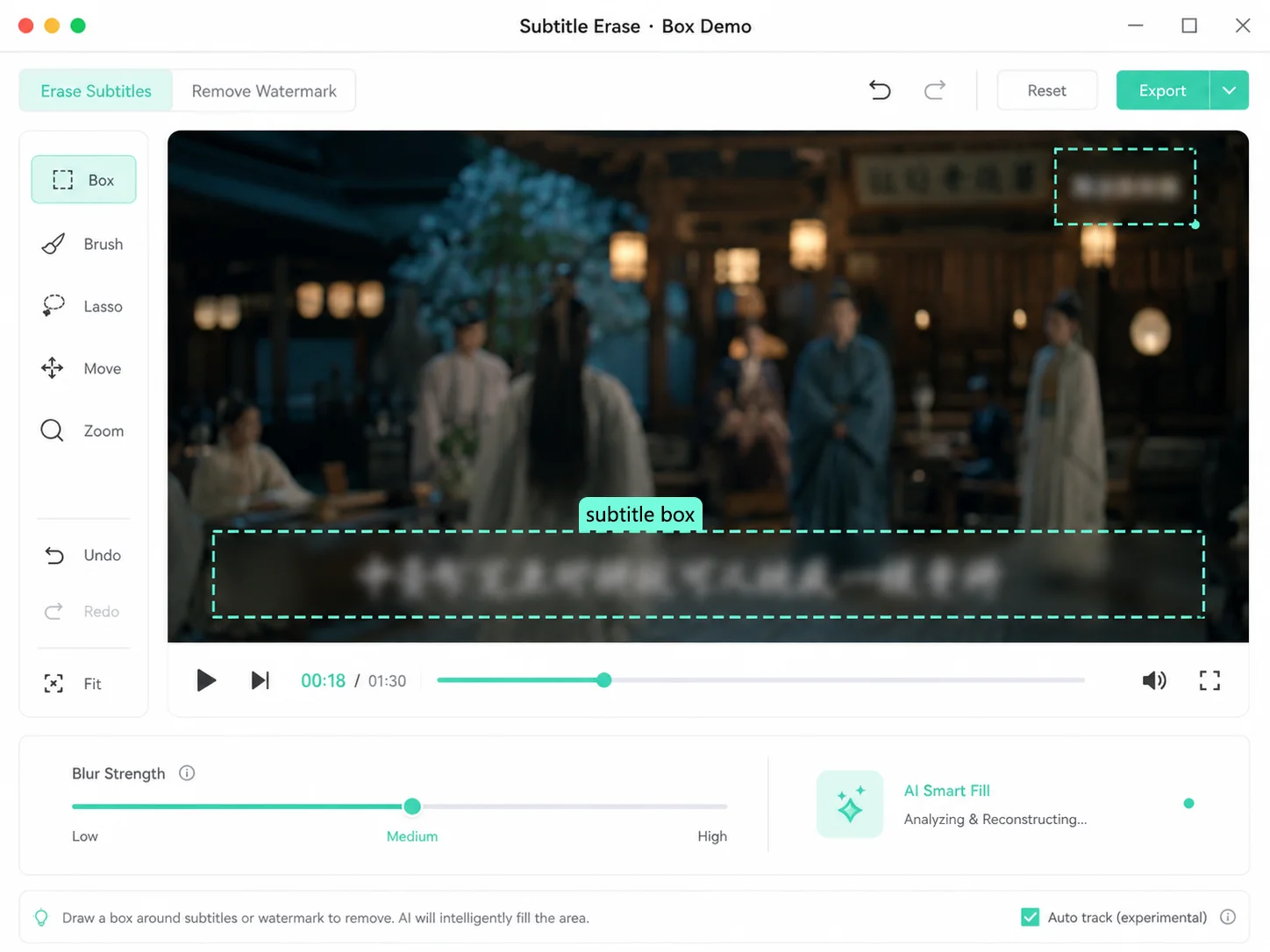
Erase Subtitles, Watermarks, and Logos
Video Commentary, Original Subtitles Completely Erased
Commentary, mashups, and remixes — the most annoying part is the original video's baked-in subtitles. Draw a box around the subtitle area, and AI removes it and fills in the background seamlessly.
- Mouse drag and select, precise selection of subtitle area
- Boxes can be dragged, scaled, and stacked to cover multiple subtitle areas
- Adjustable blur intensity, natural erasure effect without being harsh

Video Translation, Erase Old Subtitles & Add New Ones
Localize foreign videos: first erase the original subtitles, then burn in translated subtitles. One-click SRT import with fully customizable font, color, size, and stroke.
- Upload SRT subtitles for automatic old subtitle removal + new subtitle burn-in
- Subtitle Style: Font / Color / Size / Stroke / Shadow
- Supports alignment, bold & italic, with an editable subtitle list for line-by-line editing

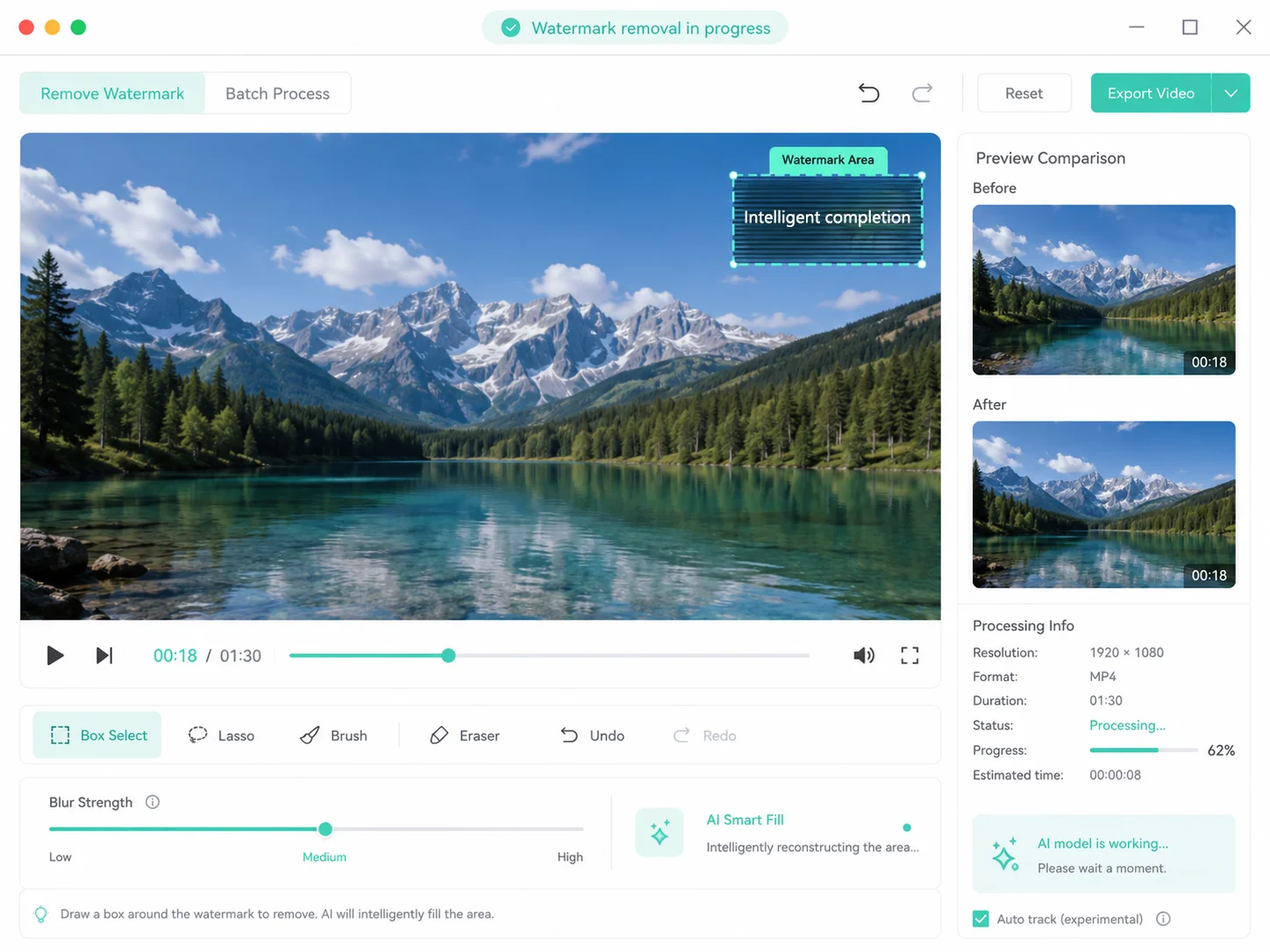
Remove Watermarks & Logos, Clean Footage, Good as New
Platform watermarks, channel logos, screen recording logos — just draw a box around them to erase. AI intelligently fills in background textures, leaving virtually no trace after removal.
- Precisely select watermarks in corners and edges
- Translucent watermarks can also be detected and removed cleanly
- Select multiple watermarks at once for batch processing
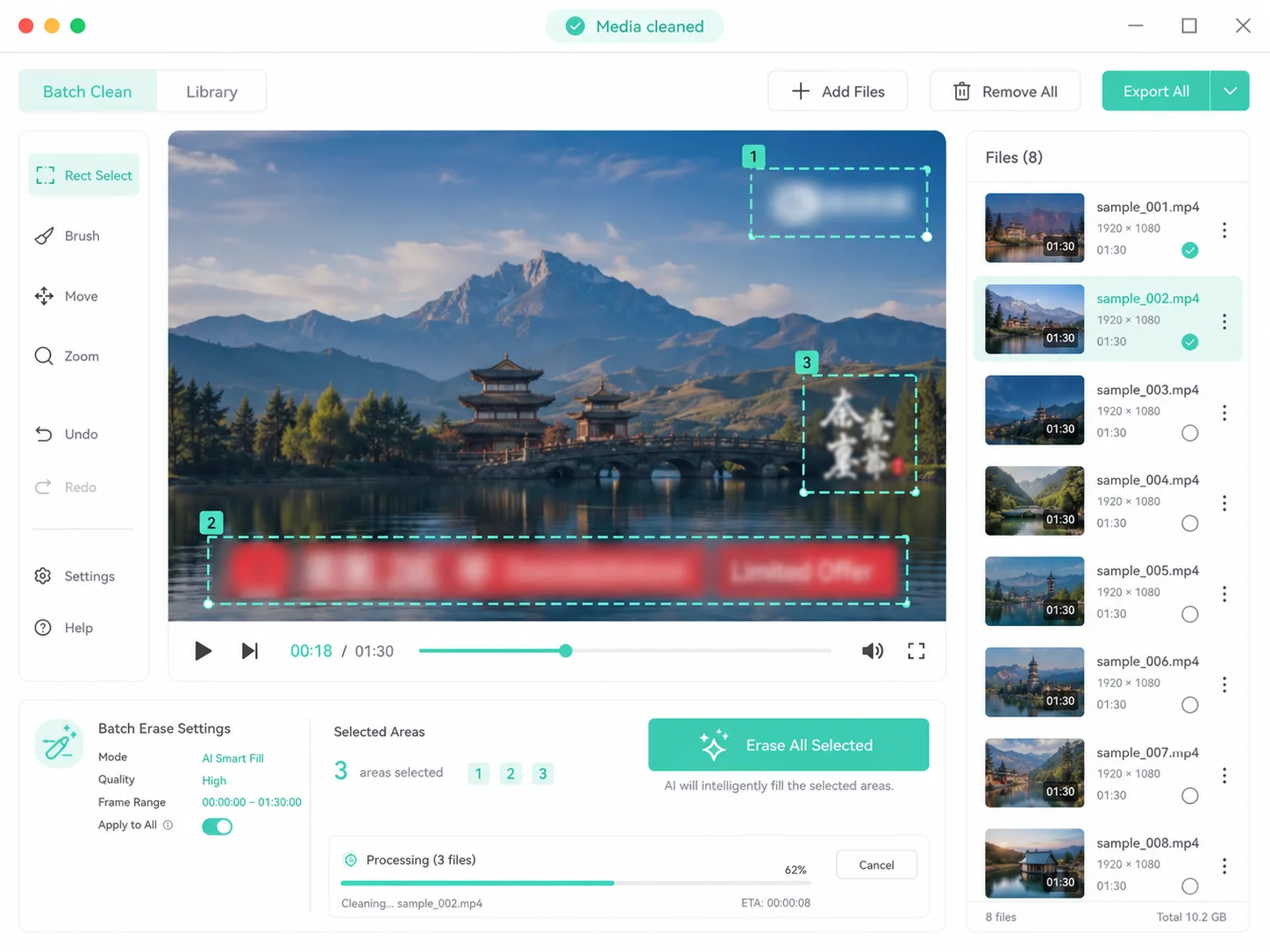
Remixed Content, Clean It All in One Go
Downloaded assets often come with text, logos, and ad banners. Simply draw a box in the workspace to select them all and remove them at once — your assets go straight into the editing pipeline.
- Ad banners, URLs, and scrolling text can all be selected
- Auto-preview after removal — export only when you're satisfied
- Original quality output, no loss for re-editing
Draw to Erase
Precise Selection, Clean and Seamless
Simply drag and draw a box directly on the video preview to precisely select subtitle or watermark areas. Boxes can be dragged, resized, and layered, with adjustable blur intensity. AI automatically fills in the background for a natural erasing effect.
-
Draw-a-Box MaskDrag to select subtitle areas; boxes can be dragged and resized
-
Adjustable Blur IntensityWeak/Medium/Strong three levels, natural and smooth erasing effect
-
Multi-Area SelectionSelect subtitles + watermarks together for unified removal
-
Before/After comparisonOne-click toggle to preview results, export when satisfied

Subtitle Replacement & Burn-in
Erase the old, burn in the new—all in one step
Upload an SRT subtitle file to automatically erase old subtitles and burn in new ones. Fully customize font, color, size, outline, shadow, and alignment. Built-in subtitle style presets make video translation effortless.
-
One-click SRT ImportUpload subtitle file, auto-sync with timeline
-
Customize Subtitle StylesFont / Color / Size / Stroke / Shadow Fully Adjustable
-
Subtitle Editing ListEdit timing and text line by line, with real-time preview sync
-
Burn into VideoNew subtitles are directly composited into the video, viewable in any player
Remove Subtitles in 4 Easy Steps
Upload Video
Drag & drop or click to select a video. Supports all major formats.
Select Area
Drag to select subtitle/watermark areas, or upload an SRT file for replacement mode.
Start Processing
Choose blur intensity and run with one click. Lightning-fast results.
Preview & Download
One-click comparison before/after processing, download the final video directly if satisfied
Simple, usage-based pricing
Sign up and get 20 free credits, plus a free daily allowance. Pay only for what you use — failed tasks are never charged.
FAQ
Draw a box to erase—clean and seamless
Start Now
Upload your first video and see the erasure effect in seconds