Home
AI Video Translation AI Speech to Text AI Subtitle Translation AI Text to Speech AI Video Summarizer Subtitle Remover Video Clipper
Pricing Documentation News About
Start Translating
About Us

Help every creator reach a global audience

SpeakVid — a privacy-first, open, all-in-one video translation & dubbing tool. Transcribe, translate, dub and subtitle in one workflow. Local-first: your footage stays on your machine.

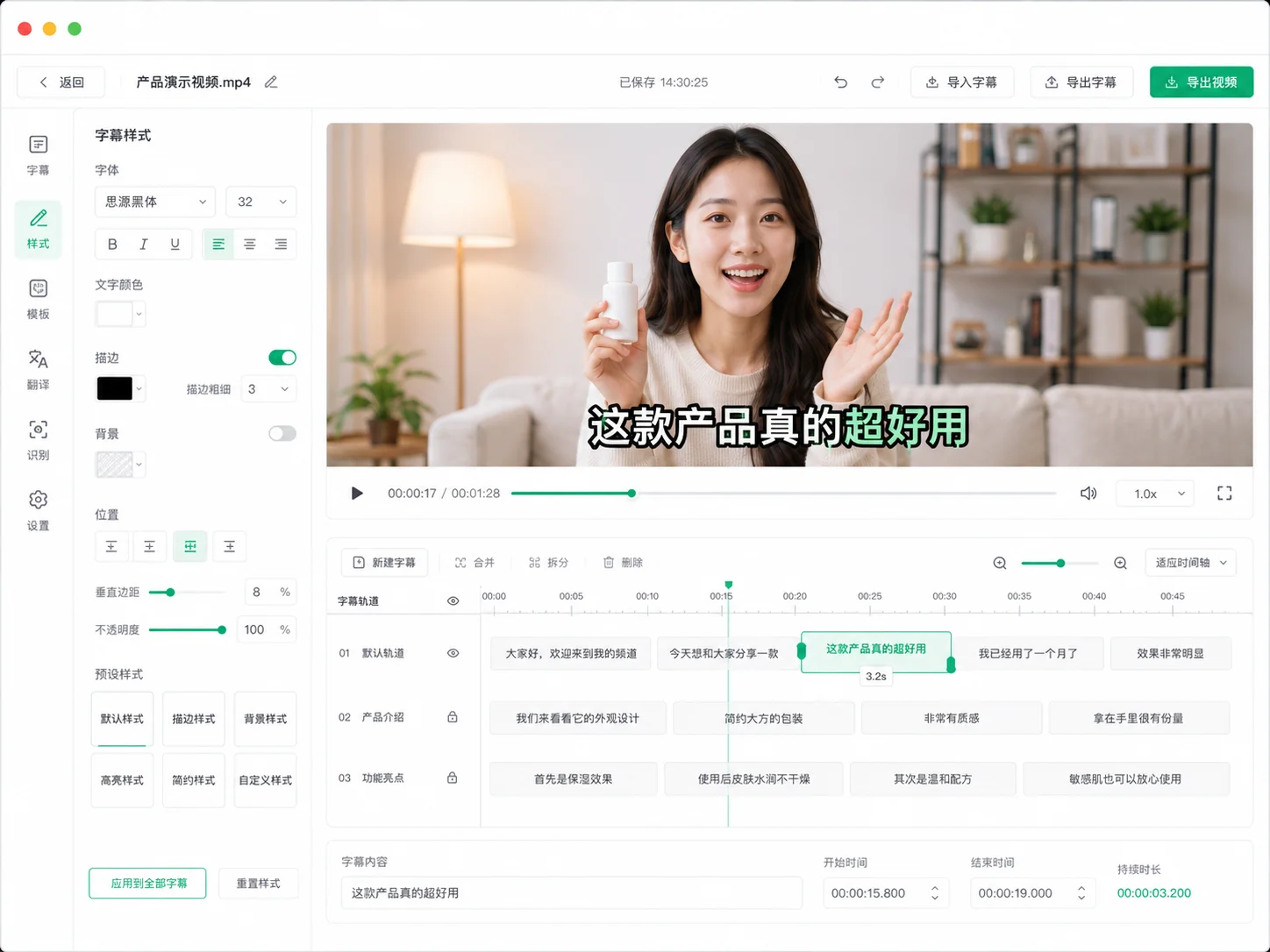
SpeakVid video translation workspace
34 translation languages
300+ free voices
01
Our Story

It started with a real pain point

" Before SpeakVid, we were creators too: spending hours adding subtitles by hand, lining up every sentence to the timeline — then paying a fortune for translation and voiceover just so overseas audiences could understand our work. A 10-minute video could eat up an entire day.

We asked: why can't a tool automate the whole chain — transcribe → translate → dub → subtitle? That's how SpeakVid was born: an all-in-one video translation and dubbing tool that puts the choices back in the creator's hands.

Built from real pain

Every feature comes from real creative workflows — no bloated gimmicks.

Dogfooding mindset

We're our own toughest users. We use it daily before shipping it to you.

Long-term thinking

Models keep improving. We keep integrating the latest capabilities.

2
TOTAL TASKS
2
TASKS DONE
34
TRANSLATION LANGS
24
RECOGNITION LANGS
300+
VOICES
02
What We Believe

Translation isn't just swapping languages —
it's helping content truly enter another culture

A good tool should hand the choices to creators: run local engines for free offline work, or bring your own API key for maximum quality. No lock-in, no dark patterns — every step transparent and under your control.

01

Privacy First

In local-engine mode, your video never leaves your computer — free and offline. In cloud mode, only the necessary audio segments are uploaded, then deleted after processing.

02

Professional Quality

Recognition, translation and dubbing all run on industry-leading models with multi-level fallback, so output stays reliable.

03

Open & Transparent

Every stage is configurable and swappable. Bring your own key for the best services — never locked into a single vendor.

04

Always Evolving

Recognition, translation and voice models improve every week. We keep integrating the latest capabilities.

03
How It Works

Four steps to a fully dubbed video

Fully automated — and every step works standalone.

1

Upload Video

Local video or audio files, or paste a link and let us download it.

2

AI Transcription

Local Whisper or cloud ASR, 24 languages, auto-segmented.

3

AI Translation

DeepSeek, Kimi, Qwen and more — 34 target languages.

4

Dub & Export

300+ voices. Export video, subtitle files or MP3.

Powered By

Trusted engines under the hood

Every stage connects to industry-leading capabilities — and can be swapped anytime.

Speech Recognition

OpenAI WhisperAlibaba DashScope ASR

AI Translation

DeepSeekKimiQwenOllama Local

Smart Dubbing

Microsoft EdgeMiniMaxAlibaba DashScope
05
Who It's For

From solo creators to professional teams,
there's a use case for you

🎬

Creators Going Global

YouTube and TikTok creators generate multi-language dubbed versions in one click — reach viewers in more countries without relying on subtitle plugins.

Content export
🎓

Course Localization

Online educators produce multi-language subtitles and voiceover at scale — sell one course to the whole world at near-zero marginal cost.

Education
🛍️

Cross-border E-commerce

Turn product videos into multiple languages fast, slashing content costs for overseas listings and social ads.

E-commerce
💬

Subtitle & Translation Teams

Produce multi-language subtitle drafts in minutes — AI handles recognition and translation, humans just review and polish.

Media localization
06
FAQ

Questions you might have

Is SpeakVid free?+

Local engines are completely free with unlimited use. Cloud engines run on a free monthly quota (60 minutes for new users) — or bring your own API key and pay only for what you use.

Does my video get uploaded to a server?+

By default, local-engine mode keeps your video on your machine. Only when you choose a cloud engine are the necessary audio segments uploaded, then deleted after processing. We never keep your footage.

Which languages and formats are supported?+

Speech recognition supports 24 languages (including Cantonese); translation supports 34 target languages. Common video and audio formats are accepted, and you can paste a video link for automatic download.

Can I use just one step?+

Yes. Transcribe, translate, dub and subtitle replacement each work standalone — pick only what you need.

What can I export?+

Dubbed video (video + new audio track), subtitle files (SRT and more), standalone MP3 audio, and editable subtitle scripts for further editing.

Contact

Questions or suggestions? We'd love to hear from you.