AI Video Processing Workbench
One workbench for the entire workflow
Upload audio/video or paste a link — AI auto-detects subtitles,translates into 67+ languages in one click, and can dub, summarize, clone voices and clip — from subtitles to finished output,all done in one workbench。
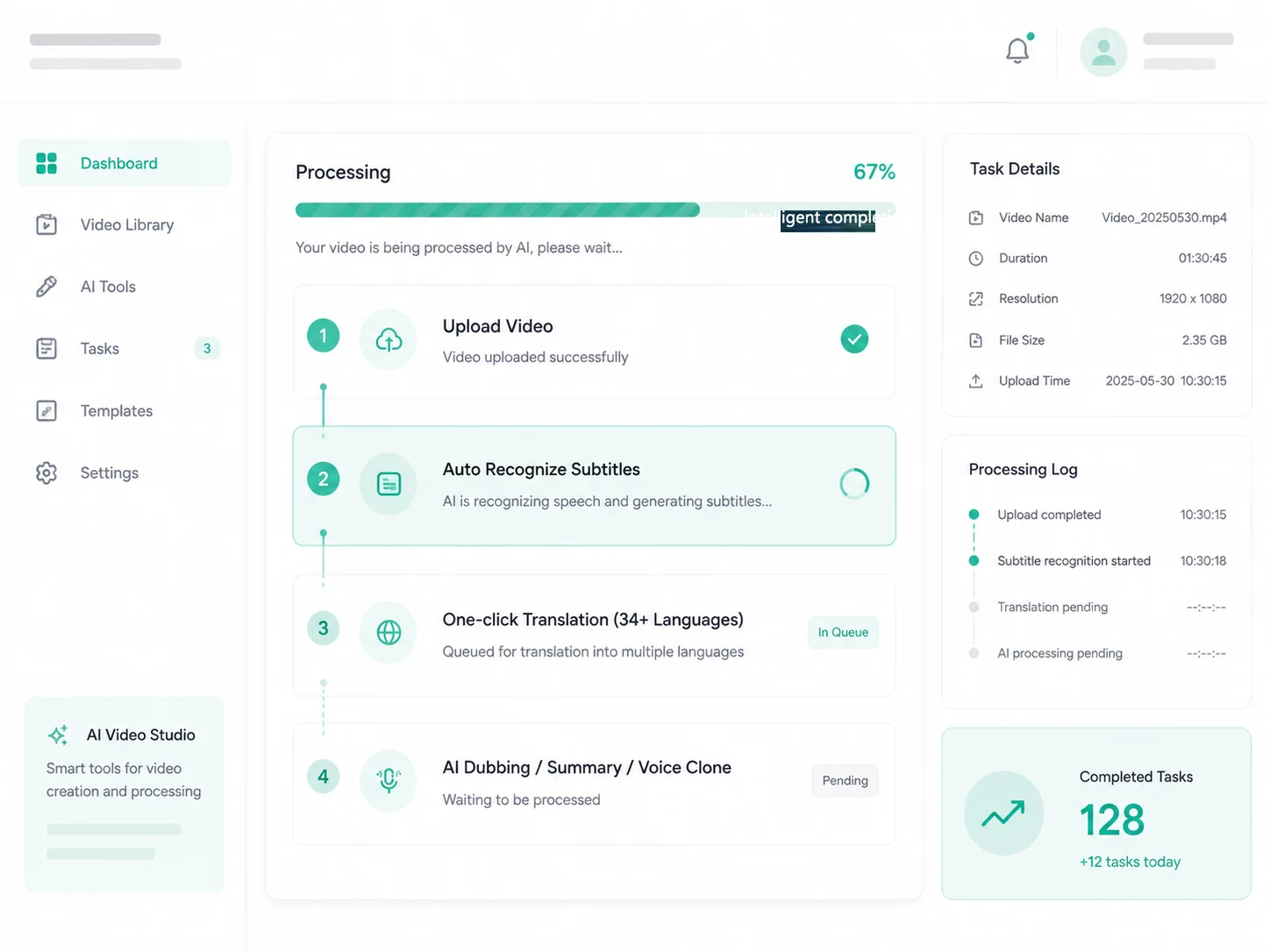
One workbench, four processing modes
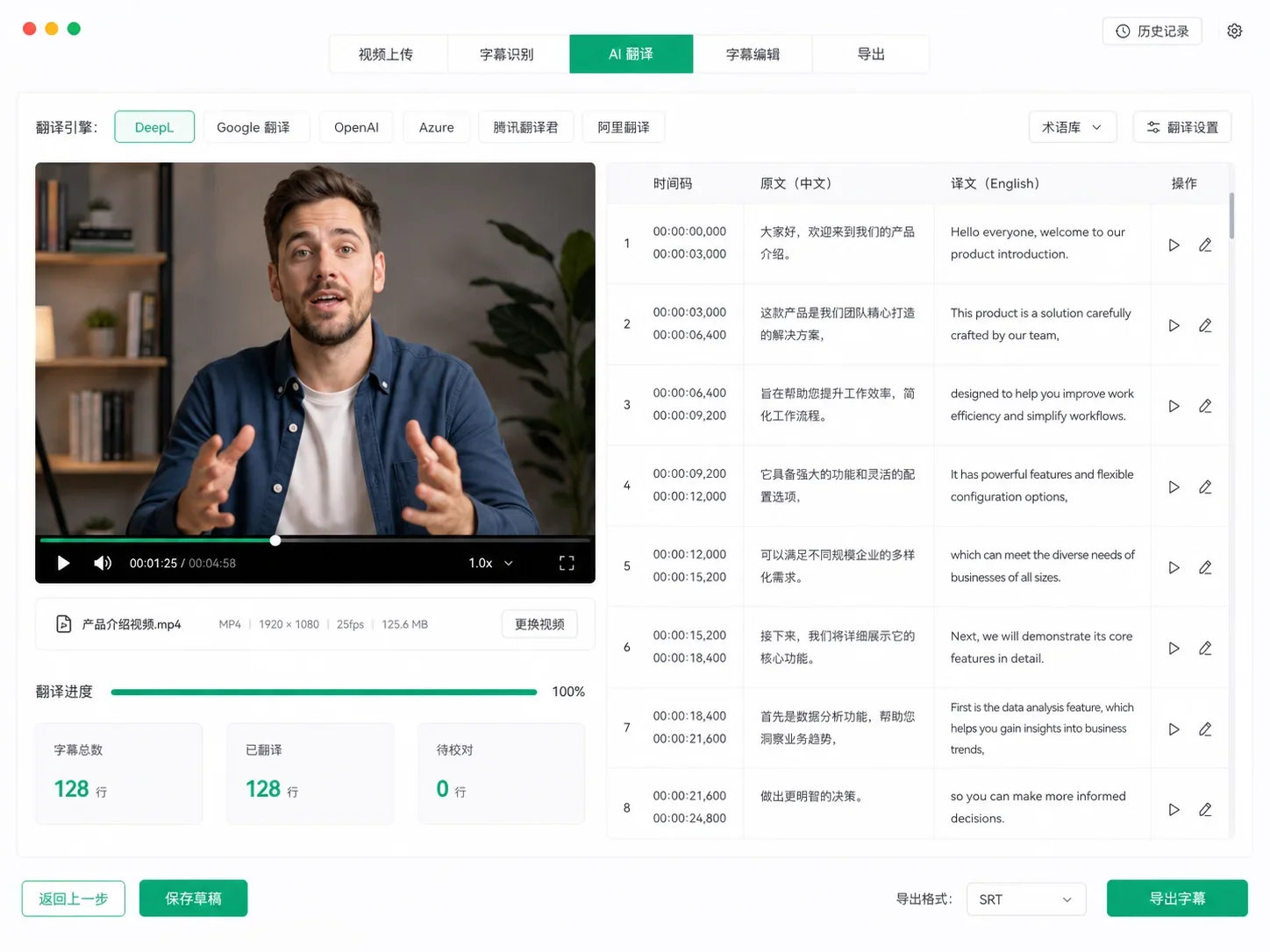
Recognize + translate,one-click translation across 67+ languages
Upload video/audio for auto recognition and generate timestamped subtitles. Translate across 67+ languages (EN/ZH/JA/KR...), with auto sentence splitting and punctuation. Fine-tune line by line in the editor, export SRT / TXT.
- Multi-engine: Whisper / SenseVoice / Paraformer
- Fine-tune subtitles line by line after recognition, export SRT / TXT
- Translations keep the timeline, export multilingual subtitles in one click
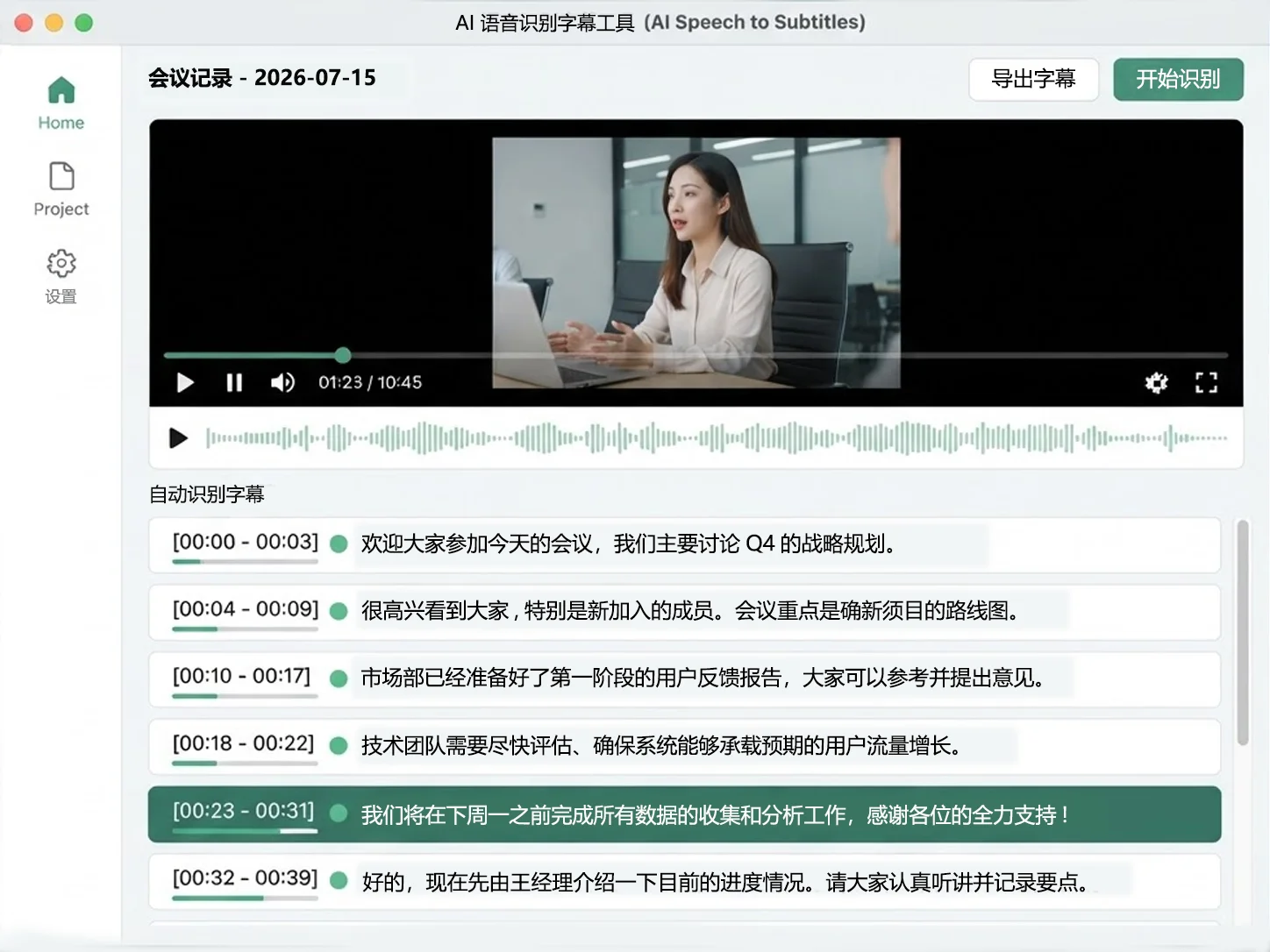
Subtitles only,keep the original audio to preview first
Only speech recognition to generate subtitles — no translation, no dubbing, original audio fully preserved. Perfect for checking recognition quality first, then deciding whether to add translation or dubbing.
- Original video untouched, subtitles exported separately
- Recognition results can be extended with dubbing / summary
- Subtitle timeline precisely aligned with the source
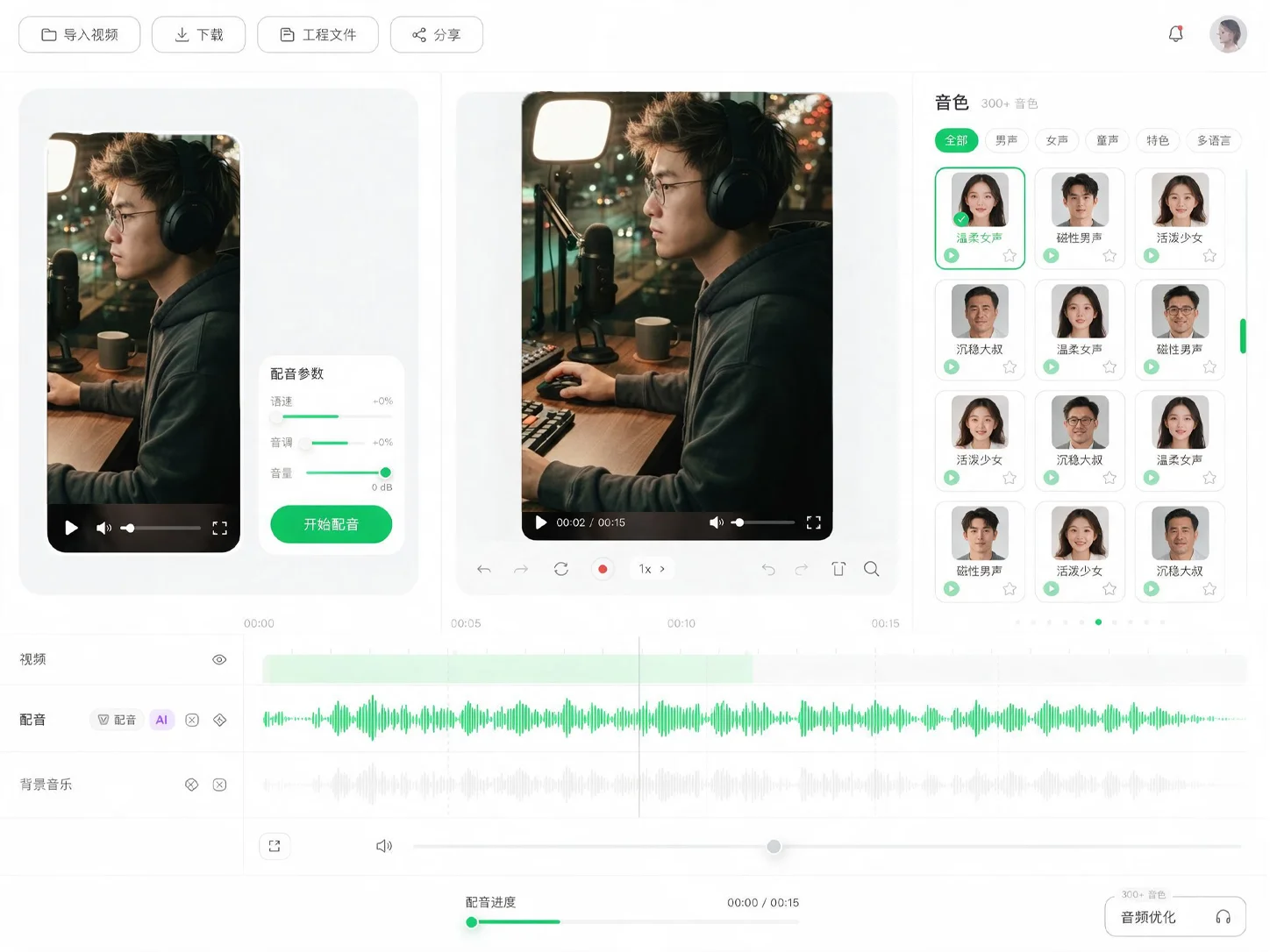
Dubbing only,300+ voices to replace the original audio
Skip straight to a dubbed version: recognize → translate → pick a voice. Multi-engine Edge / OpenAI / CosyVoice / ChatTTS, adjustable speed and tone.
- Subtitles auto-aligned to the timeline for dubbing
- 300+ voices across languages, adjustable speed and tone
- Output dubbed video / standalone MP3 audio
Subtitle file only,just the recognition result
Convert audio/video to plain SRT subtitle files — no translation, no dubbing, downloadable right after recognition. Great for batch subtitles or processing later with other tools.
- Export plain SRT / TXT subtitles directly
- Full timeline and speaker segmentation preserved
- Audio files supported too, not just video
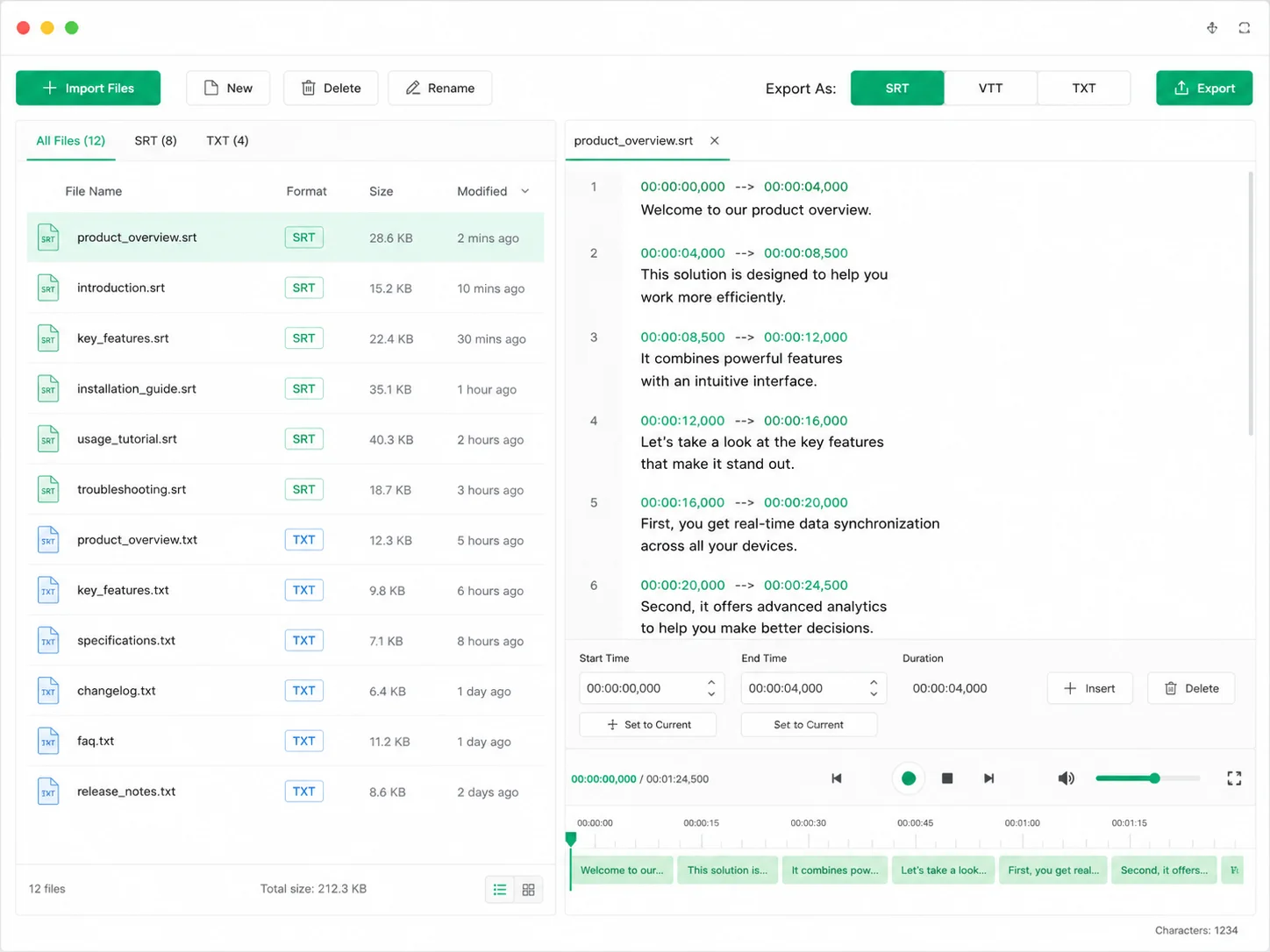
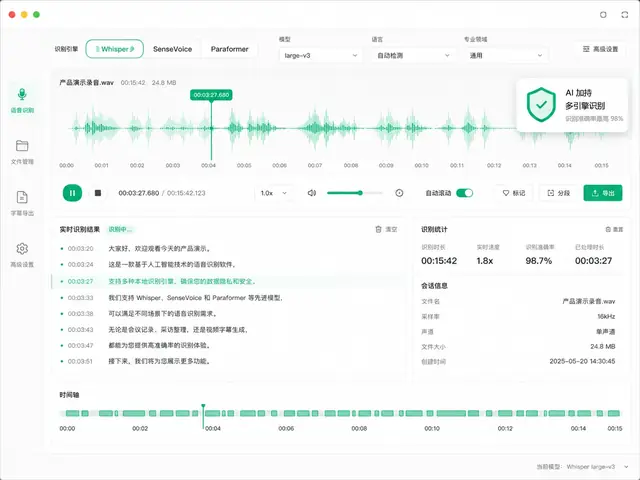
Multi-engine recognition
AI-powered, more accurate
Multiple engines to choose from — Whisper / SenseVoice / Paraformer — accelerated by cloud GPU, up to 98% recognition accuracy. Auto sentence splitting and punctuation, long videos handled easily, usable immediately after recognition.
-
Selectable accuracyFast / Standard / High / Flagship — balance speed and accuracy
-
Auto punctuationLong videos auto-split into sentences, usable right away
-
Switch engines anytimeWhisper / SenseVoice / Paraformer — one-click switch, choose as needed
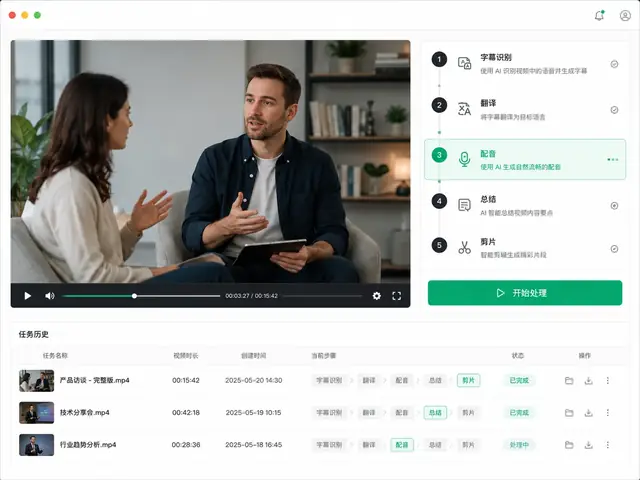
Full-workflow toolchain
Subtitles → Dubbing → Summary → Clipping
From subtitle recognition to translation, dubbing, summary and video clipping — every tool lives in one workbench. Task history is auto-saved, results downloadable anytime, no re-uploading.
-
One-stop processingRecognition, translation, dubbing, summary, cloning, clipping — the full flow
-
Task history savedProcessing records auto-saved, download subtitles/audio anytime
-
Video link processingPaste YouTube / Bilibili links for auto-download and processing
Auto-saved,reusable anytime
Every job is auto-saved to history — open it to view subtitles, download dubbed audio, or get summaries, no need to re-upload.
Process video in four steps
Upload File
Drag audio/video into the workbench, or paste a video link
Choose Processing
Subtitles+Translation / Dubbing / Summary / Cloning — multi-select and run in parallel
Run in One Click
Automatic background processing with live progress
Download Results
Download subtitles / audio / summary in one click, reuse anytime
Transparent pricing,pay per use
Register and get 20 free credits, plus a free daily allowance. Pay only for what you use — failed tasks are never charged.
FAQ
Open Workbench
Start your first task
Upload a video — subtitles, translation, dubbing and summary, all in one place