AI Speech to Text
Every Word, Subtitles in Seconds
Upload audio/video, paste a link — or tap the mic for live recording. AI transcribes speech into timestamped transcripts in 90+ languages, auto-segmented and punctuated. Export SRT / TXT straight into your editor.
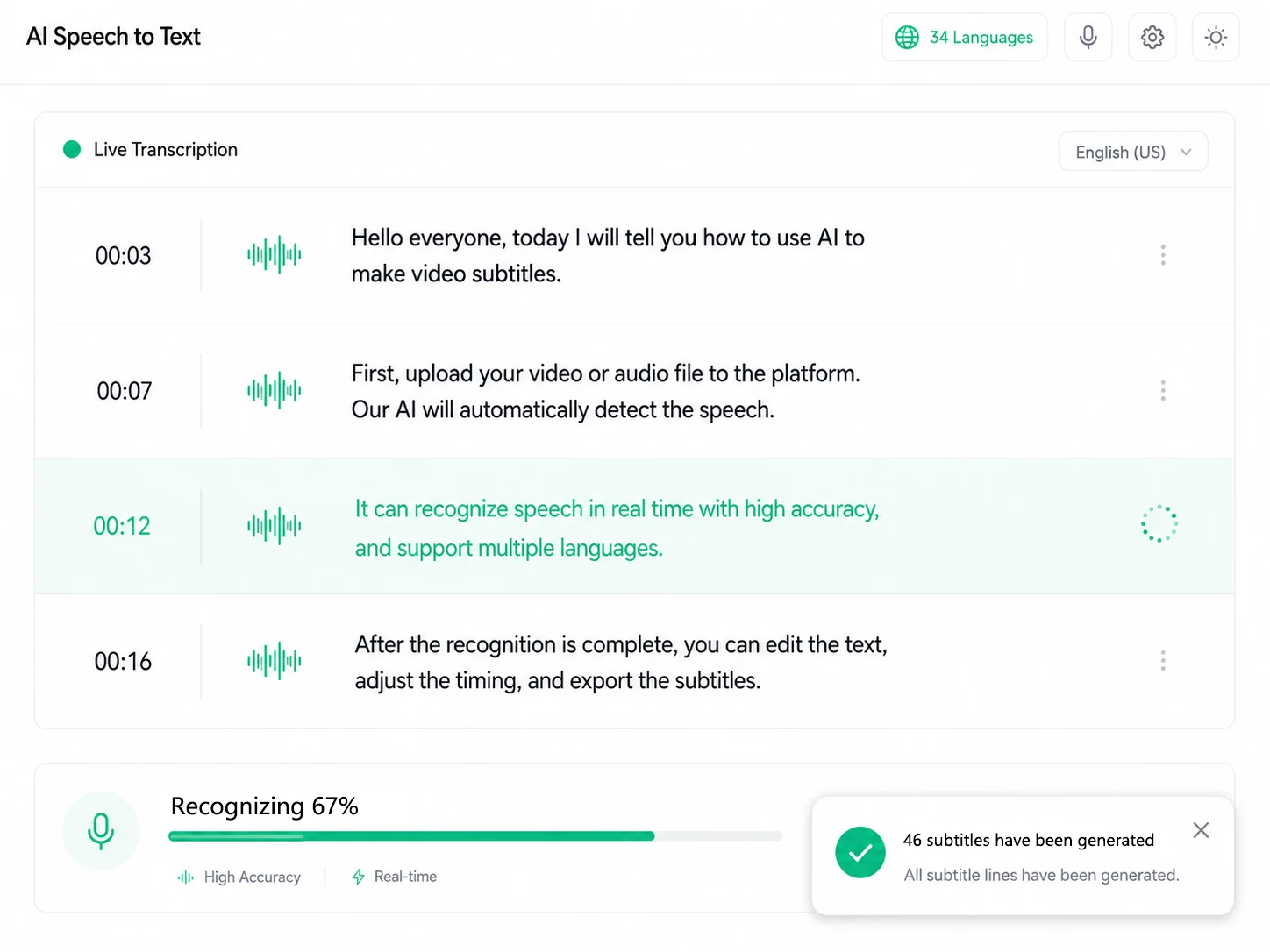
Live Recording
Tap, talk, get text instantly
No file to record first and upload later: tap the mic and just talk — pause or resume anytime. The moment you stop, AI transcribes your speech into a timestamped script with auto punctuation, exactly like an uploaded file: translate into 67+ languages, dub with AI voices, or export SRT subtitles. Meetings, interviews, lectures, sudden ideas — speak and get text instantly, no more frantic note-taking:
-
Live meeting notesrecord the discussion and get a complete meeting summary the moment it ends — no more 30 minutes of manual cleanup.
-
Interviewsevery word is captured with timestamps, so you can jump to the exact moment and quote your source accurately — nothing missed, nothing misheard.
-
Lectures & classesrecord while you listen and let the notes write themselves — then search keywords to review anytime, far faster than handwriting.
-
Voice memosan idea hits — say it into the mic and it's saved as text in your task list, ready whenever you need it again.
From Talking Heads to Meeting Notes — Transcribe It All
Talking-Head Videos, Instant Subtitle Scripts
Upload your talking-head video and AI transcribes every sentence into a timestamped script. Recognizes 90+ languages (EN, ES, HI, JA, KO, ZH...), auto-segmented with punctuation.
- Auto-segmentation + punctuation, ready to use
- Edit in the subtitle editor, click to jump with playback
- One-click SRT/TXT export, straight into your editor
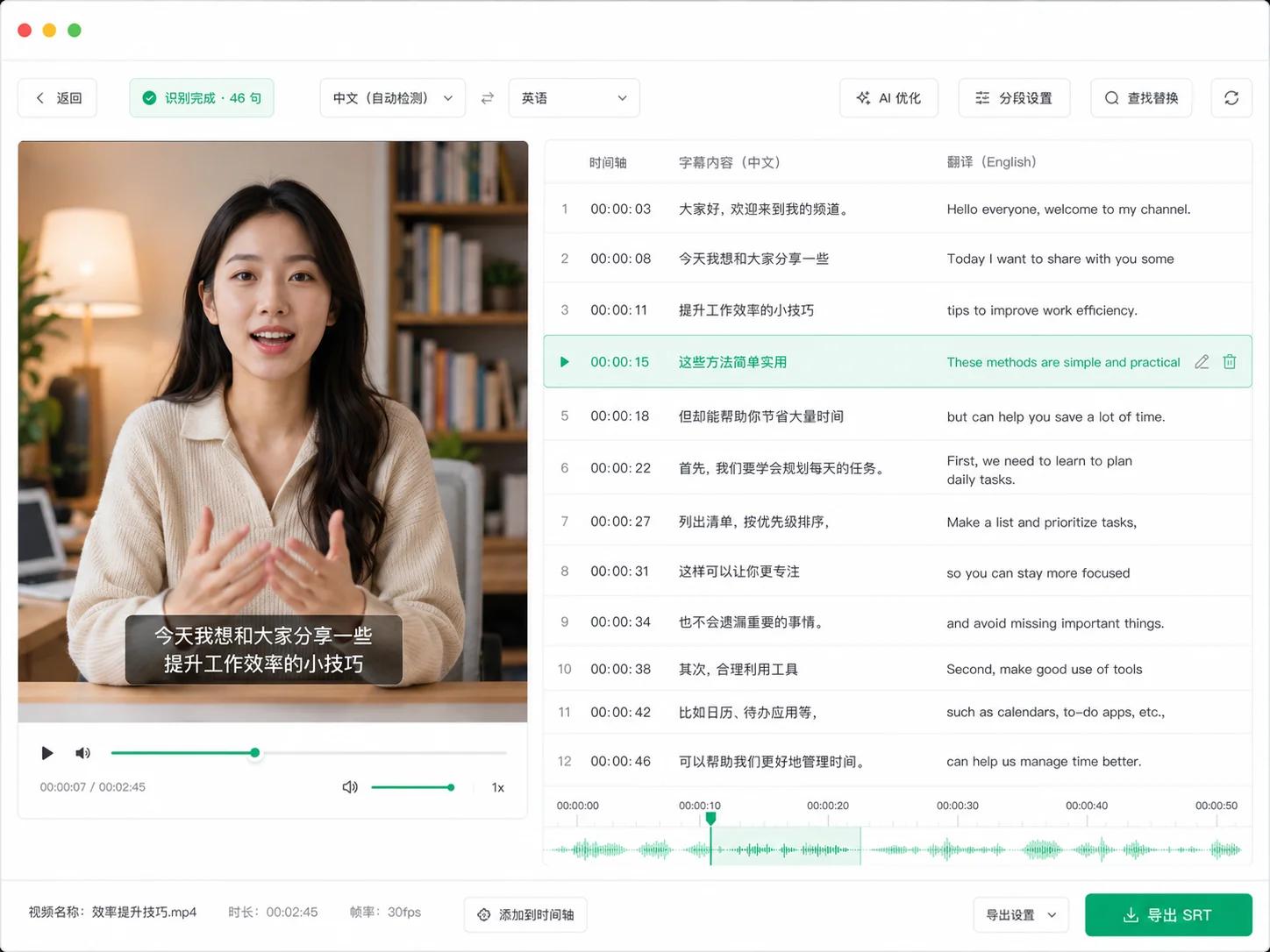
Meeting Recordings, Minutes in Minutes
Drop in meeting recordings or interview audio and get a timestamped transcript. Long audio is auto-segmented, and you can jump back to the original audio anytime.
- MP3 / WAV / M4A / AAC / FLAC all supported
- Auto-segmented long audio, jump to the original sound
- TXT export doubles as meeting minutes
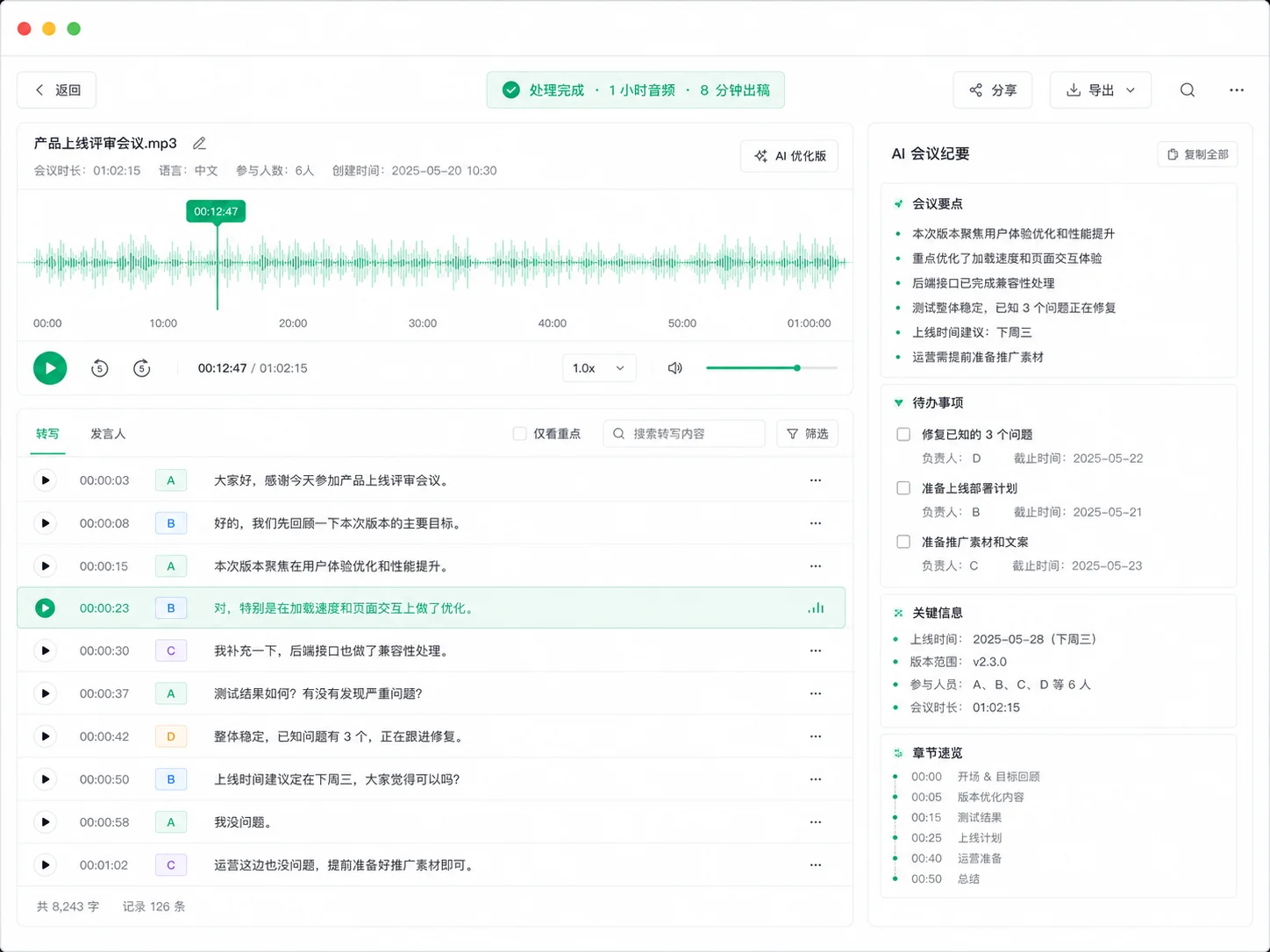
Captions That, Boost Watch Time
Videos with captions hold viewers longer and get watched more. Upload a video, AI generates captions automatically, fine-tune the wording in the editor, and export SRT straight to Premiere Pro or CapCut.
- Inline video preview, click a line to jump to that frame
- Batch translate into multi-language subtitles for global content
- SRT works with all major editors
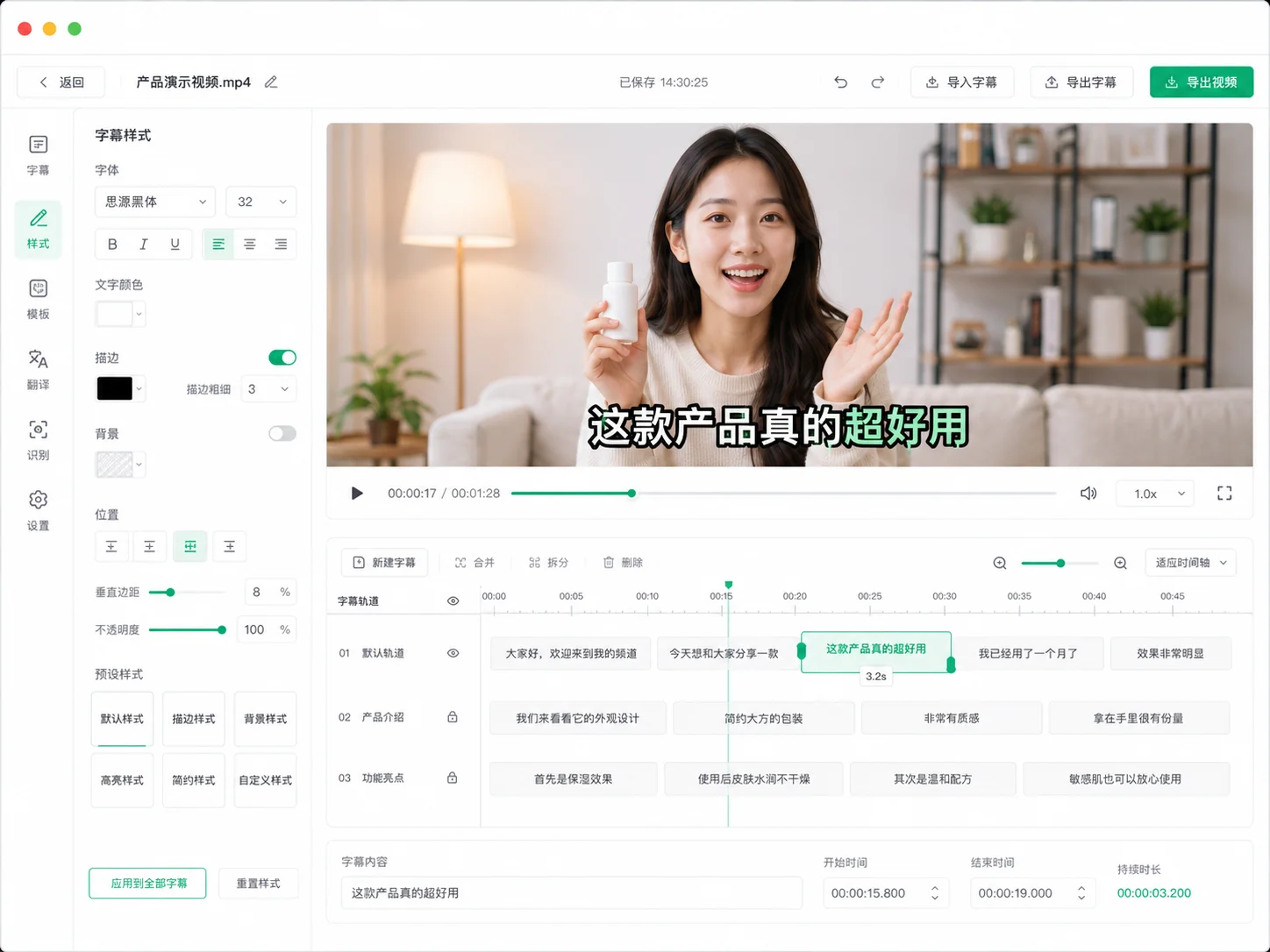
Multi-Language, Global Reach, Zero Friction
AI recognizes 90+ languages and the interface offers 67+ target languages. Transcribe, then translate into subtitles in one click — localize foreign content in a single workflow.
- 90+ languages recognized, fast and accurate for ZH/EN/JA/KO/YUE
- Translate after transcription, bilingual subtitles side by side
- Translate after transcription for instant localization
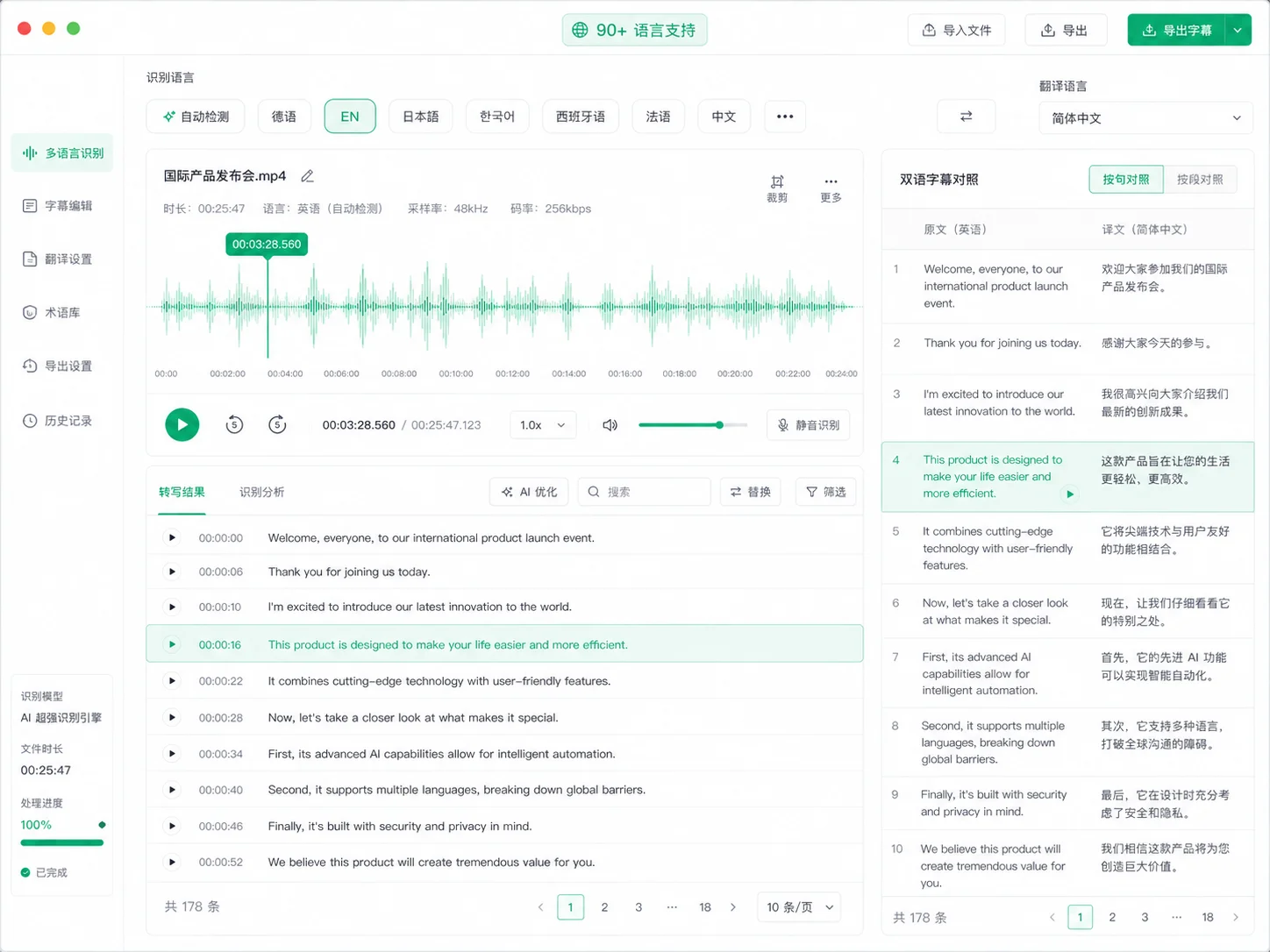
AI-Powered Accuracy
Private, Accurate Transcription
State-of-the-art speech recognition delivers up to 98% accuracy, with automatic sentence segmentation and punctuation. Long videos, noisy audio, and multiple speakers are all handled with ease.
-
90+ LanguagesFrom English and Chinese to Japanese, Korean, and Cantonese — recognized with high precision
-
Auto-Segmentation & PunctuationLong audio is split into clean sentences with full punctuation, ready to use
-
Privacy FirstYour files are processed securely and never shared with third parties
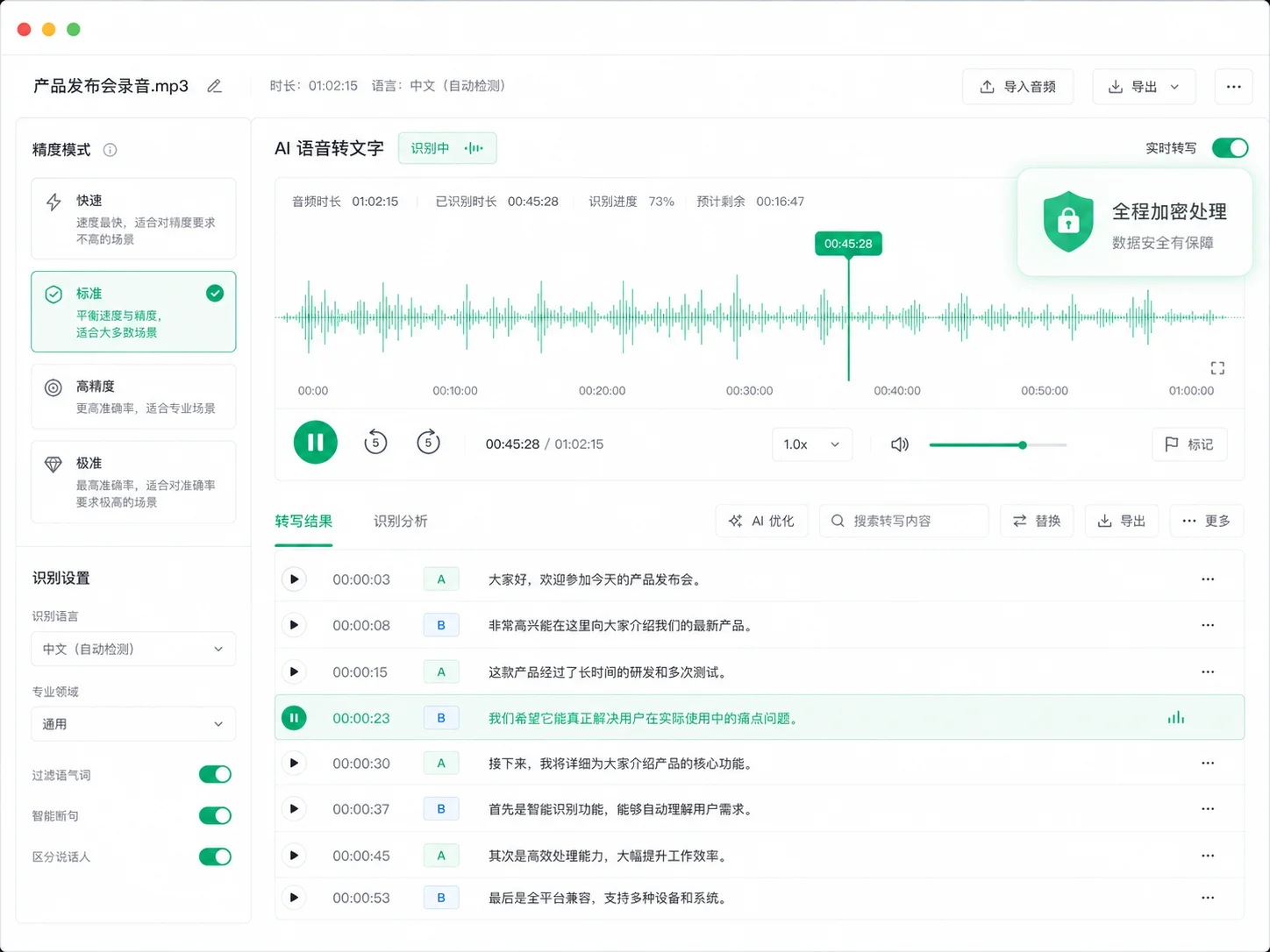
Paste Link, Transcribe
1000+ Sites, No Download Needed
Paste links from YouTube, TikTok, Facebook, and 1000+ sites — auto-download and transcribe without local files. Batch processing supported.
-
Paste & Go1000+ sites, auto source detection
-
Batch ProcessingQueue multiple links and files, finished in the background
-
Task History SavedAll transcripts are saved; reload subtitles anytime
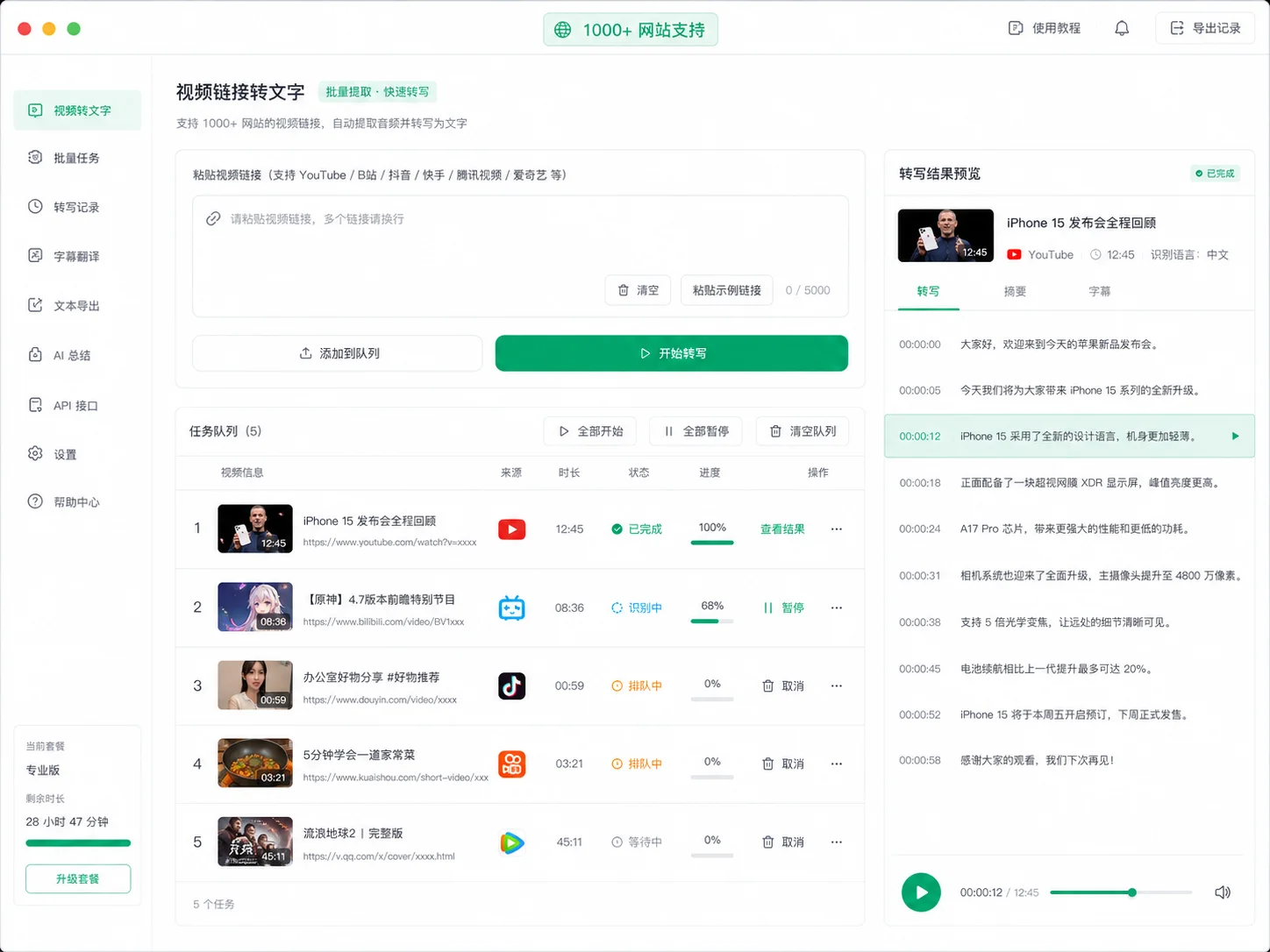
History, One-Click Reload
Every transcription is saved to history. Click to reload subtitles and keep editing — no re-upload needed.
Transcribe in 4 Steps
Upload File
Drag in audio/video, paste a link, or hit the mic to record live
Choose Language
Pick the source language or let AI auto-detect, then start transcribing
Start Transcribing
One click to run, watch live progress
Export Subtitles
Generate SRT subtitles, then translate or dub
Simple, usage-based pricing
Sign up and get 20 free credits, plus a free daily allowance. Pay only for what you use — failed tasks are never charged.
FAQ
Turn Video into Text
Start Now
Upload your first video or audio and see the transcript in 30 seconds